
Download Webpage Screenshot – web page screenshot, full-page capture, Chrome extension, screenshot tool, online content capture
Overview
Webpage Screenshot is a productivity-focused Chrome extension designed to simplify the process of capturing complete web content. Unlike traditional screen capture tools that only record the visible portion of a webpage, this extension enables users to capture entire web pages in a single action. This functionality is particularly valuable for individuals who frequently need to save long articles, documentation, or web-based reports for reference, sharing, or archiving. The tool addresses a common limitation in digital workflows—missing content that lies below the fold—by delivering a seamless full-page capture experience.
Target users include students, researchers, content creators, and professionals who rely on accurate and complete web documentation. The extension is especially useful in academic and work environments where precise information retrieval is critical. By streamlining the screenshot process, it reduces the time and effort required to compile comprehensive records of online resources. The developer, Jason A. Bilbrey, has positioned this tool as a lightweight yet effective utility within the Chrome ecosystem.
Although the developer did not provide additional technical details, the extension’s long-standing presence since its release on July 14, 2010, suggests a level of reliability and user trust. Its continued availability as a free tool underscores its role as a foundational utility for users seeking efficient online content capture without added cost.
Key Features & Functionality
- Full-Page Capture: The extension captures the entire length of a webpage, including content that requires scrolling. This ensures no information is lost, making it ideal for saving lengthy articles, web-based forms, or detailed documentation.
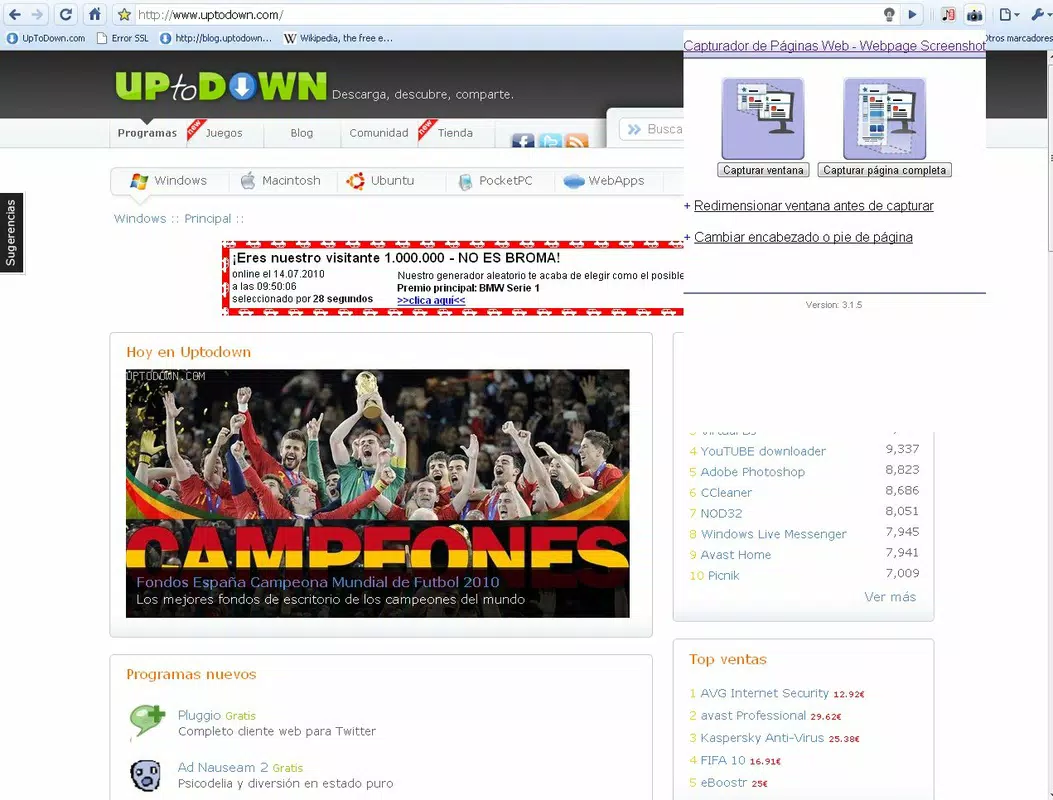
- User-Friendly Interface: A simple camera icon placed next to the Chrome address bar provides instant access to the capture function. Users can choose between capturing the visible window or the full page with a single click, minimizing workflow disruption.
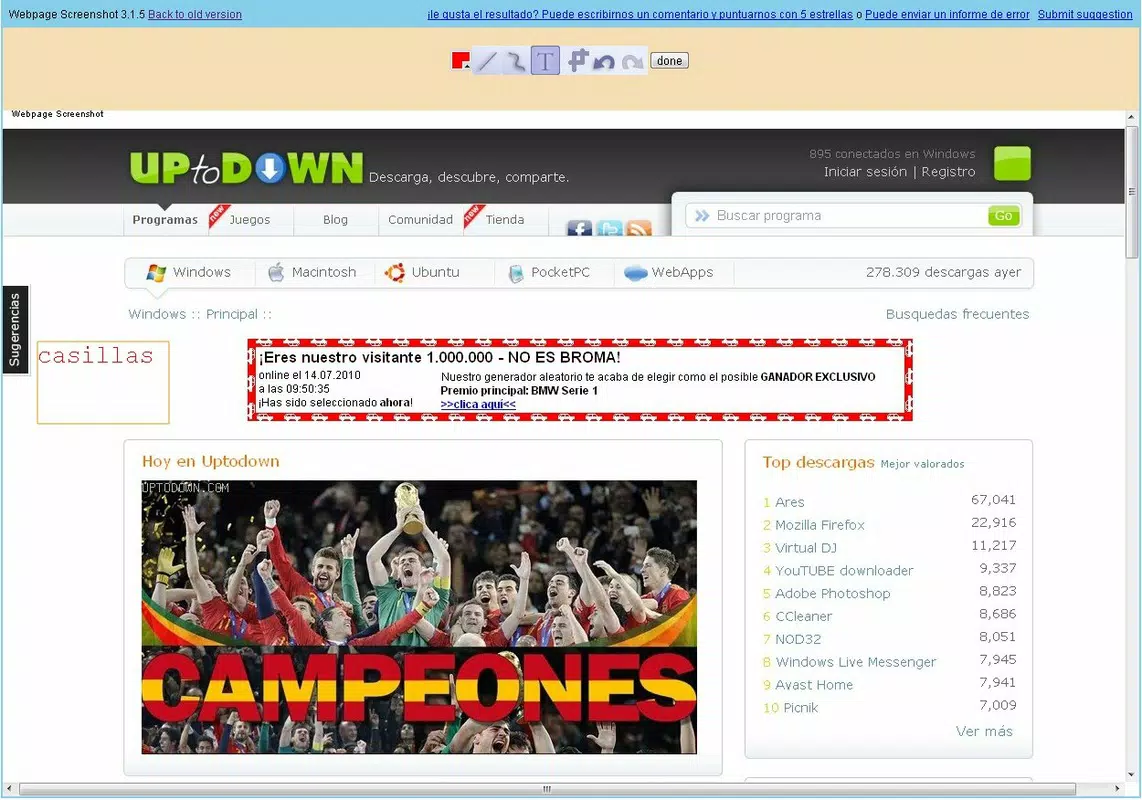
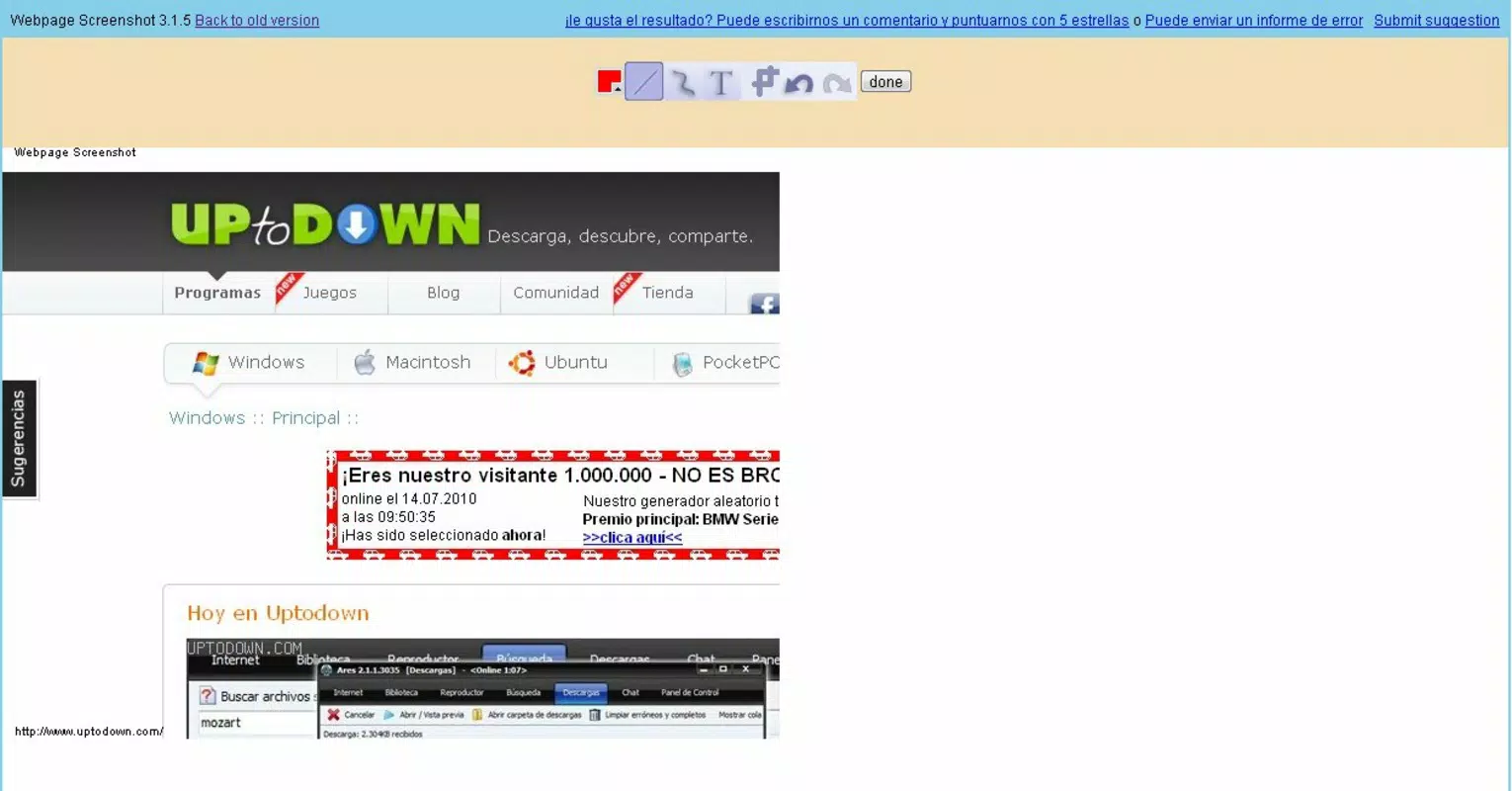
- On-Screen Editing: After capture, users can edit the screenshot directly within the extension’s built-in editor. This includes options to crop, annotate, and highlight key sections, enhancing the utility of the image for presentations, reports, or collaborative sharing.
- Flexible File Export: Captured screenshots can be saved in standard formats such as JPG, ensuring compatibility across devices and platforms. This flexibility supports easy integration into documents, emails, or cloud storage systems.
- Direct Sharing Options: Users can share their captures directly from the extension interface, supporting quick dissemination on social media or via messaging apps without the need for external tools.
For example, a researcher compiling data from a lengthy government report can capture the entire document in one go, annotate key findings, and share the edited image with team members—all without leaving the browser. Similarly, a student preparing for an exam can save an entire tutorial page for offline review, ensuring no critical detail is missed.
Interface, UX & Performance
The interface of Webpage Screenshot is minimalist and purpose-driven, aligning with Chrome’s design language. The camera icon is strategically placed near the address bar, ensuring immediate accessibility without cluttering the browser’s UI. Navigation is intuitive: clicking the icon opens a straightforward menu with two options—capture visible area or full page—followed by an editing window upon completion.
Users report consistent responsiveness across various device categories, including desktops and laptops. Although the developer did not list formal performance metrics, the extension’s lightweight size of 1.5 MB suggests efficient resource usage. The tool operates smoothly without noticeable lag during capture or editing, even on older systems.
Stability appears to be a strength, supported by its continuous operation since 2010. The extension does not interfere with other browser functions and maintains reliable performance during extended use. However, compatibility with newer Chrome updates may depend on ongoing maintenance, which the developer has not explicitly confirmed.
Platform Compatibility & Technical Requirements
Webpage Screenshot is designed exclusively for the Chrome browser, making it compatible with devices running on Windows, macOS, Linux, and Chrome OS. The extension requires Chrome version 20 or higher, though specific minimum OS requirements were not listed by the developer.
With a file size of 1.5 MB, the extension is compact and quick to install. It does not require additional software or system-level permissions beyond standard browser access. The latest version, 2.2.0, was released on July 14, 2010, indicating a mature and stable release cycle with minimal updates over the years.
Pros and Cons
Pros
- Efficient full-page capture without manual scrolling
- Simple, intuitive interface with one-click access
- On-screen editing tools for annotations and cropping
- Supports common file formats like JPG for broad compatibility
- Free to use with no in-app purchases or ads
Cons
- Only available as a Chrome extension, not a standalone app
- No recent update activity since 2010, raising concerns about long-term support
- Limited to Chrome browser; not compatible with other platforms
- Editing features are basic and lack advanced functionality
- No cloud sync or automatic backup for captured images
FAQ
Is Webpage Screenshot safe to install?
Yes, the extension is available through the official Chrome Web Store and does not require elevated permissions. It operates within the browser sandbox, minimizing security risks.
Can I use Webpage Screenshot on mobile devices?
No, the extension is designed for desktop browsers and is not available for Android or iOS devices.
Does the extension work with all websites?
It functions on most standard websites, but may encounter issues with dynamically loaded content or sites that block screen capture.
How do I update the extension?
Updates are managed automatically through the Chrome browser. However, the last update was in 2010, so automatic updates may not reflect recent changes.
Can I save screenshots to cloud storage?
While the extension allows saving to local devices, it does not integrate with cloud services like Google Drive or Dropbox directly.
Final Thoughts
Webpage Screenshot remains a reliable and efficient tool for capturing full web pages within the Chrome browser. Its simplicity, low resource usage, and long-standing presence make it a trusted utility for users who need to preserve complete online content. While it lacks modern features like cloud sync or frequent updates, its core functionality continues to serve its purpose effectively.
Professionals, students, and researchers who rely on accurate web documentation will benefit most from this tool. For those seeking a lightweight, no-cost solution to capture entire web pages, Webpage Screenshot delivers consistent value. Its straightforward design and ease of use make it an ideal choice for quick, on-the-go content capture.
Download Webpage Screenshot now


